


Black Friday Laptop Deals 2024: A Calm UK Buying Plan
Laptop deals can be brilliant on Black Friday. They can also be a fast way to overspend on the wrong screen size, too little memory, or a ‘special’ model that doesn’t match the reviews. This guide keeps it calm: shortlist first, verify the discount, and translate the final price into hours worked so you can decide without pressure.

When people search black friday laptop deals 2024, they’re usually trying to do one of three things:
- replace a slow laptop without paying full price
- buy a laptop for school, uni, or work that will last a few years
- upgrade for a specific use like gaming, editing, or design
The problem is that laptop “deals” can be noisy. Tiny spec changes make big price differences, model names are confusing, and some retailers sell near-identical variants that don’t match the reviews you read.
This guide is UK-focused, brand-agnostic, and built to keep you calm: pick your target, verify the discount, and decide if it’s worth the hours of your life it costs.
The simple rule
Key PointStep 1: Pick Your Laptop Type Before You Look at Deals

Most overspending happens when a discount makes you change the plan. Decide what you need first, then shop for that exact need.
Everyday laptop
Best for browsing, email, streaming, school admin, and light work. The goal is comfort and reliability, not maximum specs.
Work and study laptop
Best for writing, spreadsheets, video calls, and multitasking. Prioritise a good keyboard, a bright-enough screen, and enough memory so it stays smooth.
Creator laptop
Best for photo/video editing, design work, music production, and heavier workflows. This is where CPU, memory, and sometimes a dedicated graphics card can matter.
Gaming laptop
Best for modern games and high refresh rates. Here, the graphics card and cooling matter a lot, and “the same laptop name” can hide very different GPU configurations.
If you’re buying a laptop because you want to stop overspending elsewhere (for example, fewer trips to a co-working space or fewer last-minute tech fixes), you might like this framework too: How can I stop spending money? A calm, practical framework.
Step 2: The 7 Specs That Actually Decide Whether You’ll Love It

Laptop listings often push the headline CPU and a big discount badge. For everyday happiness, these are the specs that make or break it.
1) RAM (memory)
- 8GB: can be okay for light use, but can feel tight with lots of tabs and video calls
- 16GB: a strong “keep it smooth for years” baseline for work and study
- 32GB+: useful for creators, heavy multitasking, and some gaming setups
2) Storage (SSD size)
- 256GB: can work if you mainly use cloud storage
- 512GB: comfortable for most people
- 1TB: helpful for big media files, games, or offline work
3) Screen size and resolution
Common sizes are 13–14 inches (portable), 15–16 inches (roomy), and 17 inches (big and heavy). If you do lots of writing or spreadsheets, a slightly larger screen can reduce eye strain and friction.
4) Battery life (realistic, not marketing)
Battery claims are often best-case tests. Read a few reviews for “real-world” results. If the laptop will live in your bag, battery matters more than a slightly faster chip.
5) CPU generation (good enough beats perfect)
For most people, a sensible modern mid-range CPU is fine. Your experience is often limited by memory, storage speed, and thermals, not raw CPU marketing.
6) Graphics (integrated vs dedicated)
Integrated graphics are fine for everyday use. Dedicated graphics matter for gaming and some creative apps. Make sure you know exactly which GPU you’re getting.
7) Ports, webcam, and keyboard
These sound boring, but they’re daily friction points. If you need HDMI, USB-A, or a better webcam, build that into the plan so you don’t end up spending again on dongles and upgrades.
A practical shortcut
Key PointStep 3: How to Tell if a Black Friday Laptop Deal Is Real

Step A: Match the exact model number and configuration
Two laptops with the same name can have different CPUs, different screen panels, and different storage and memory. If you can’t find the exact model number and the key specs, treat it as a yellow flag.
Step B: Check recent normal pricing
Some “was £X” claims are based on a higher reference price that the laptop didn’t sell for very often. A quick price-history check helps you avoid paying a normal price with a dramatic label.
For an official UK view on pricing transparency, the Competition and Markets Authority has clear guidance on how prices should be presented: CMA guidance on clear and accurate prices.
Step C: Compare total cost (not just the laptop price)
- extended warranties and insurance
- software subscriptions (if bundled, check renewal prices)
- accessories you genuinely need (mouse, bag, hub, external drive)
Reality check
Key PointStep 4: A Calm Comparison Method (That Fits on One Note)

Pick 2–3 finalist laptops and compare them with the same template:
- Exact model + key specs: CPU, RAM, SSD, screen size, resolution
- All-in price: laptop + essential extras + delivery
- Return window: how long you have to decide
- Warranty: what’s included as standard
If you’re choosing between a laptop and another big Black Friday purchase, it can help to compare time costs side by side. You might like our guide to Black Friday TV deals for the same “verify then decide” approach.
Step 5: Convert the Deal Into Hours Worked (Then Decide)
Quick Check
Is this laptop deal worth your time?
Use the full amount you’ll pay today. If you’re adding a warranty or accessories, include them. Then see how the hours feel.
That laptop costs you
0.0 hours
If you buy it weekly
That’s 0.0 hours of take-home time per week.
This is a personal decision tool. It doesn’t tell you what to do. It makes the trade-off visible.
Here’s what usually happens when you do the hours-worked check:
- If the laptop solves a real daily problem (slow performance, broken battery, unreliable device), the hours often feel worth it.
- If the main reason is “it’s a deal”, the hours often feel too expensive.
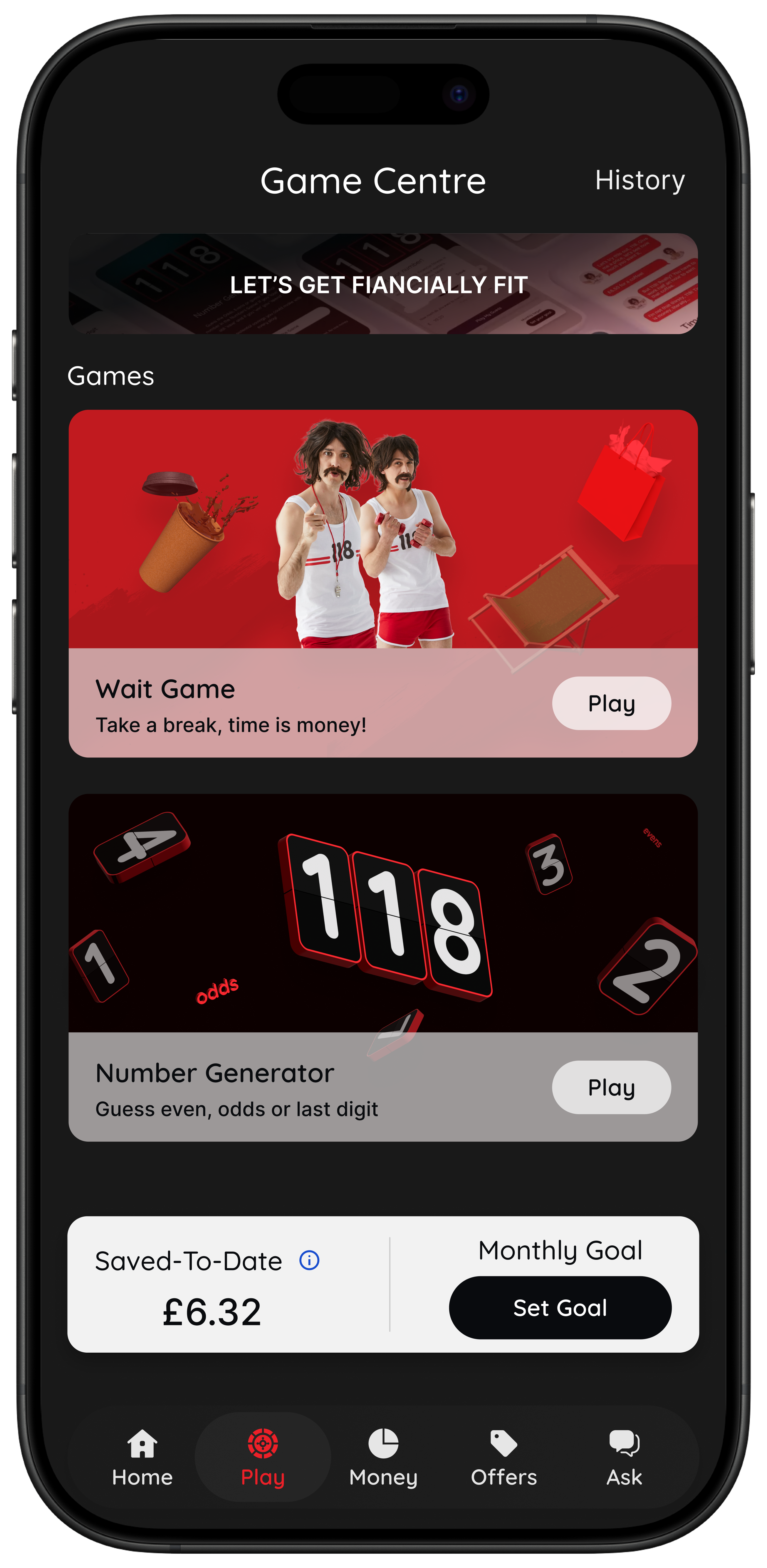
This is the idea behind 118M8’s Wait game: turning prices into hours so the choice becomes personal, not pressured.
Where UK Shoppers Usually Check Black Friday Laptop Deals
Deal hubs change every year, but UK shoppers often start with the big retailers, then compare the exact model across stores:
These links are starting points, not recommendations. The right retailer for you depends on returns, warranty handling, delivery, and support.
Delivery, Returns, and Your Rights: The “After” Matters

Before you buy, take 60 seconds to check:
- delivery estimates (especially close to December)
- returns window and method (post, drop-off, in-store)
- what counts as opened or used for returns
- how warranty issues are handled
If you want a clear UK-first explanation of online returns and consumer rights, Citizens Advice has a practical overview: Citizens Advice consumer help.
A Quick Checklist Before You Click Buy
- Type: you know if it’s everyday, work/study, creator, or gaming
- Specs: RAM and SSD are enough for your real habits
- Model match: exact configuration matches reviews you trust
- Price check: the discount looks real against recent pricing
- Total cost: you’ve included essentials and avoided “extras creep”
- Time cost: you’ve checked the hours worked and it still feels worth it
- Returns: you understand the policy before you buy
How 118M8 Helps You Buy Calmly on Black Friday
118M8 is a mobile spending companion designed to help you spend with intention, without guilt or lectures.
- Clock it: convert a laptop price into hours worked so the trade-off feels real
- Sleep on it: set a 24-hour reminder instead of impulse buying
- Choose it: use the Number Generator game for a neutral moment of reflection
- Spot it: if you’re a 118 118 Money credit card customer, see spending trends and categories so big purchases don’t sneak up on you
If you want to see how it works before deal season gets loud, start here: 118M8 app overview.
Black Friday Laptop Deals FAQs
Are Black Friday laptop deals actually worth it in the UK?
Some are. The best deals are usually on last season’s models, configurations a retailer is clearing, or bundles where you were going to buy the extras anyway. The calm way to check is: match the exact model number, look at recent normal pricing, then compare total cost (including warranty, software, and accessories).
What specs matter most for a laptop in 2024?
For most people, prioritise enough memory (RAM) and storage (SSD) first, then a comfortable screen size, then battery life. CPU and graphics matter most for heavy workloads (video editing, design, gaming), but for everyday browsing, admin, and streaming, a sensible mid-range setup can feel excellent.
Is 8GB RAM enough for a laptop?
It can be enough for light use, but it can feel tight if you keep lots of browser tabs open, use video calls, or run Office apps together. For a laptop you want to keep for a few years, 16GB RAM is often the smoother choice if the budget allows.
How do I know if a laptop discount is real?
Confirm the exact model number and configuration, then check recent pricing (not just ‘was £X’). If the ‘deal’ price has been common for weeks, it’s probably a normal price with a louder label.
Should I buy a laptop on finance during Black Friday?
Only if you’ve checked the full cost, you can afford the payments comfortably, and the finance terms are clear. If finance makes the purchase feel cheaper than it is, use a 24-hour pause and come back with a clear head.
What’s the safest way to avoid impulse buying on Black Friday?
Make a shortlist before the sales, set a firm ceiling price, and use a pause. In 118M8 you can convert the price into hours worked (Clock it) and set a 24-hour reminder (Sleep on it) so tomorrow-you gets a vote.
Stock images by Nils Huenerfuerst, Microsoft Edge, Glenn Carstens-Peters and Kari Shea via Unsplash.