


How to cancel NOW TV in the UK: steps, fees and refunds
Yes, most monthly NOW memberships can be cancelled before the next renewal. Use this guide to find the right route, check your plan and confirm what happens next.
Can you cancel NOW TV at any time?
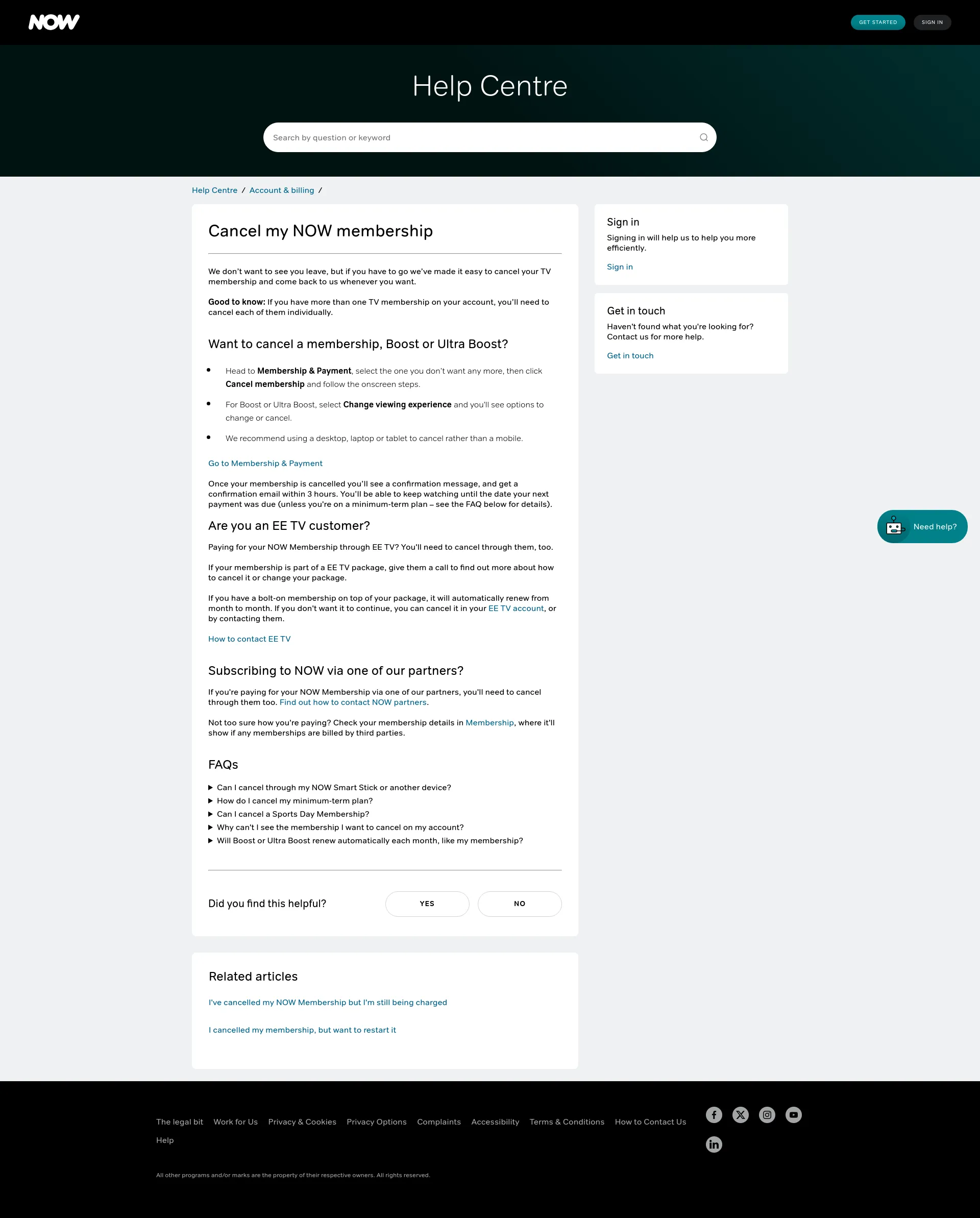
Usually, yes. If you have a Fully Flexible monthly membership, you can cancel before the next renewal and keep access until the end of the paid period. If you have a Saver deal, you can request cancellation but it takes effect when the minimum term ends.
First, check who bills you. NOW direct, Apple, Google and some third-party providers use different cancellation routes. Also check each active membership or add-on separately, including Boost or Ultra Boost. Most Fully Flexible memberships have no cancellation fee. Access normally continues until the end of the current paid period; refunds are rare once service has started. We will show you the exact steps and how to confirm it worked.
Timely cancellations matter. Ofcom reports that around two‑thirds of UK households use at least one streaming service, and Citizens Advice estimates households spent about £688m on unused or accidental subscriptions in 2023. A two‑minute check can save months of payments.
Before you start: who bills you and what plan you are on
- Find your biller in NOW: sign in → My Account → My Membership. On the membership you are cancelling, look for a line that states Billed by Apple, Google, EE TV, Roku or similar. If it shows a third party, you must cancel with them.
- Plan type: Fully Flexible (monthly, no minimum term) versus Saver deals (minimum term). Saver cancellations are accepted anytime but only take effect once the minimum term ends.
- Cancel each item: Entertainment, Cinema, Sports, Hayu are separate. Boost/Ultra Boost is also separate and renews monthly.
Sources: NOW Membership FAQs and NOW Terms. Always check the latest wording in the FAQs and Terms as they change periodically.

Cancel directly with NOW on the website or app
- Go to My Account → My Membership.
- Select the membership you want to stop → Cancel → follow the prompts.
- Repeat for each membership and for Boost/Ultra Boost if shown.
- Confirmation: you will see an on‑screen success message and receive a confirmation email (usually within a few hours).
- Access: continues until the end of the current paid period. For Saver plans, cancellation takes effect after the minimum term.
Source: NOW Help Centre — “Cancel my NOW membership” and Membership FAQs. Save or print the confirmation email as proof.
If Apple bills you (iPhone, iPad, Mac)
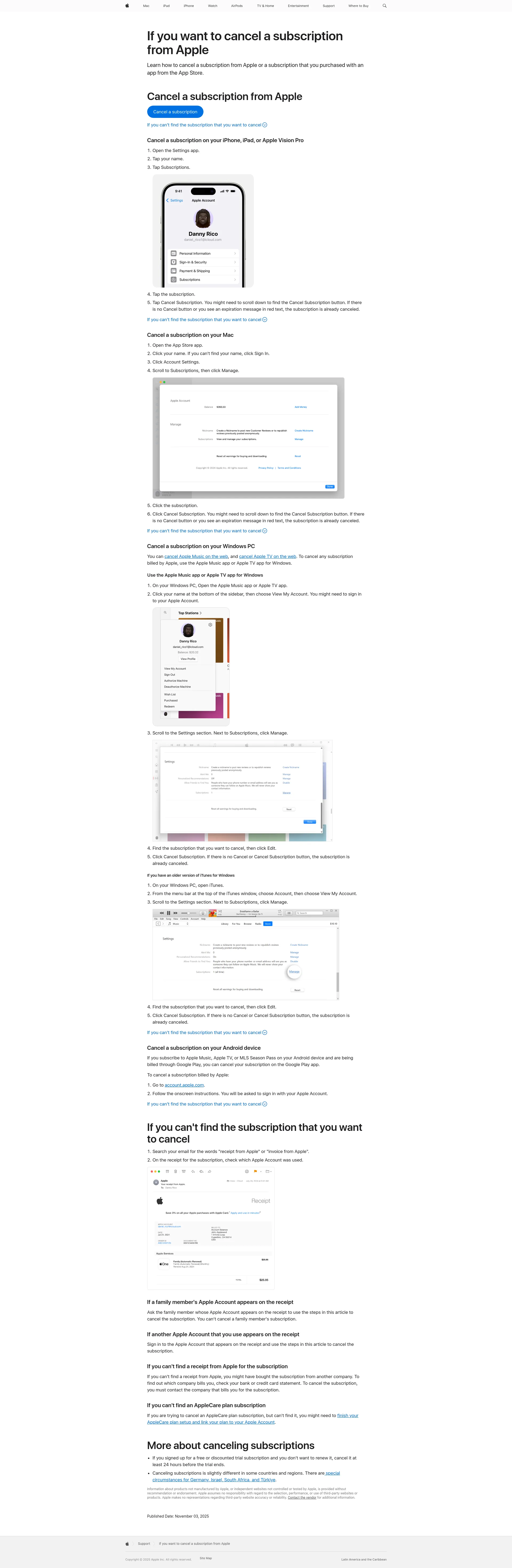
App Store‑billed memberships must be cancelled in Apple settings — not on NOW’s site.
- iPhone/iPad: Settings → [your name] → Subscriptions → NOW → Cancel Subscription.
- Mac: App Store → your name → Account Settings → Subscriptions → Manage → Cancel.
- If there is no Cancel button or you see an expiry date in red, it is already cancelled.
- Refunds for Apple‑billed purchases are handled by Apple.
Source: Apple Support (UK). Check your email receipts and renewal dates.
If Google Play bills you (Android or web)
Google‑billed memberships must be cancelled via Google.
- Android: Google Play → profile → Payments & subscriptions → Subscriptions → NOW → Cancel subscription.
- Web: go to play.google.com/subscriptions and cancel.
- Uninstalling the app does not cancel.
- Access continues until the end of the current period; renewals can process about 24 hours before period end.

Sports Day vs Sports Month, and Boost/Ultra Boost
- Sports Day Membership: lasts 24 hours and does not auto‑renew. No need to cancel. Once started, it cannot be paused.
- Sports Month Membership: auto‑renews monthly unless you cancel. Access runs to period end.
- Boost/Ultra Boost: auto‑renews monthly. If you cancel your last Month Membership, NOW auto‑cancels Boost for direct‑billed customers. Exception: if Apple bills you, cancel Boost separately with Apple.
Sources: NOW Sports page and Boost/Ultra Boost page for auto‑renew and trial behaviour: Top events and Experience.

Fees, refunds and cooling‑off rules (UK)
- Cancellation fees: generally none for Fully Flexible monthly memberships. Cancellation stops the next renewal; access continues to period end. Source: NOW FAQs.
- Saver (minimum‑term) deals: you can request cancellation anytime but it takes effect when the minimum term ends. See NOW Terms (for example, Membership clauses such as 8.2) and FAQs.
- Refunds: payments are usually non‑refundable once service starts. In limited cases NOW may issue goodwill refunds or credits — check the Help Centre for refund eligibility. Refunds for Apple‑ or Google‑billed purchases follow Apple or Google rules.
- 14‑day cooling‑off: under the Consumer Contracts Regulations 2013, digital content is refundable if you have not started the service or did not agree to waive the right; once streaming begins, the right typically ends (Reg. 37). Example: if you bought a Sports Day pass and have not activated it yet, you may be within your statutory cancellation window; confirm with NOW Support and the Terms.
Sources: NOW Terms and the UK Consumer Contracts Regulations 2013.

Troubleshooting: when cancellations go wrong
- No Cancel button: you are likely billed by Apple, Google, EE TV or Roku. Cancel with that provider.
- On a Saver plan: the cancellation will queue until the minimum term ends.
- Cancelled but charged again: check for multiple memberships (for example, Boost) or a second NOW account. Gather your confirmation email and contact NOW via the Help Centre.
- Site glitches: try another browser or device, or contact support to cancel for you. Immediate cancellations may end access straight away.
Source: NOW Help Centre articles such as “Cancelled but still being charged” and contact options.

Quick calculator: what you save by cancelling today
A 30‑second estimate of money and hours of work you will save by cancelling before the next renewal.
If you cancel now, estimated savings:
- £0.00 over next 3 months
- £0.00 over next 12 months
Time saved
0.0 h (3 mo) — 0.0 h (12 mo)
Estimates only; adjust if you also cancel Boost or multiple memberships.
About 118M8: turn prices into hours worked
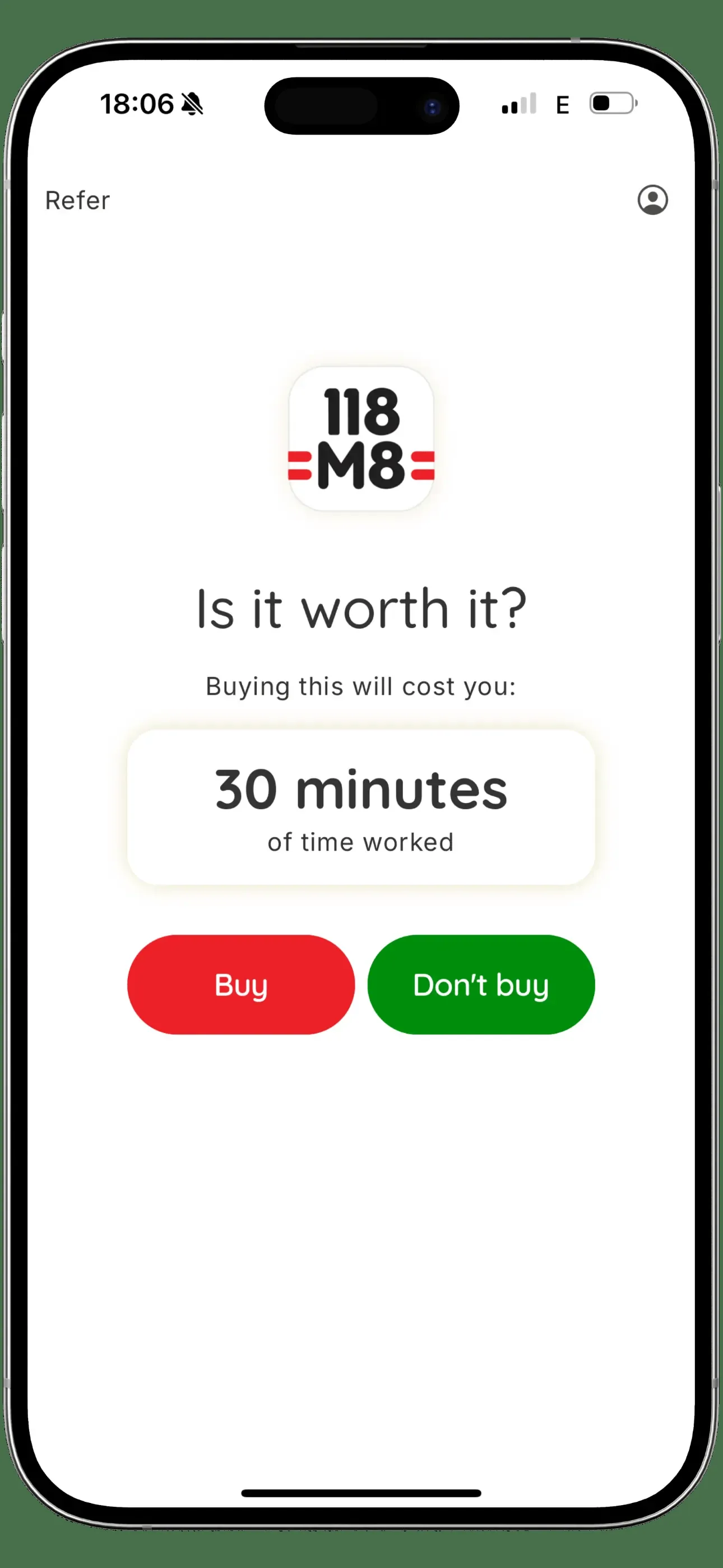
118M8 helps you pause before you spend. See what a membership costs you in hours each month, set a savings goal, and track wins when you cancel or rotate subscriptions like NOW.
Frequently Asked Questions
How do I cancel NOW TV in the UK?
Sign in at nowtv.com, go to 'My Account', select 'Manage Passes', find the membership you want to cancel, and click 'Cancel'. If billed via Apple or Google, cancel through their subscription settings.
Do I get a refund when cancelling NOW TV?
NOW typically doesn't refund mid-cycle cancellations. Your access continues until the end of your current paid period. UK consumers may have cooling-off rights within 14 days of a new subscription.
What happens to Boost when I cancel NOW TV?
Boost is a separate add-on that must be cancelled separately. If you only cancel your main pass, Boost may continue charging. Check 'Manage Passes' for all active subscriptions.
Can I cancel NOW TV if I'm on a Saver deal?
Saver deals often have minimum terms (e.g., 6 or 12 months). Cancelling early may result in fees. Check your account for contract details before cancelling.