


Subscription guide
Cancel Grammarly Subscription: UK Billing Routes
Cancel Grammarly without missing the account, app-store billing route, free-trial deadline, refund expectation or next renewal check.
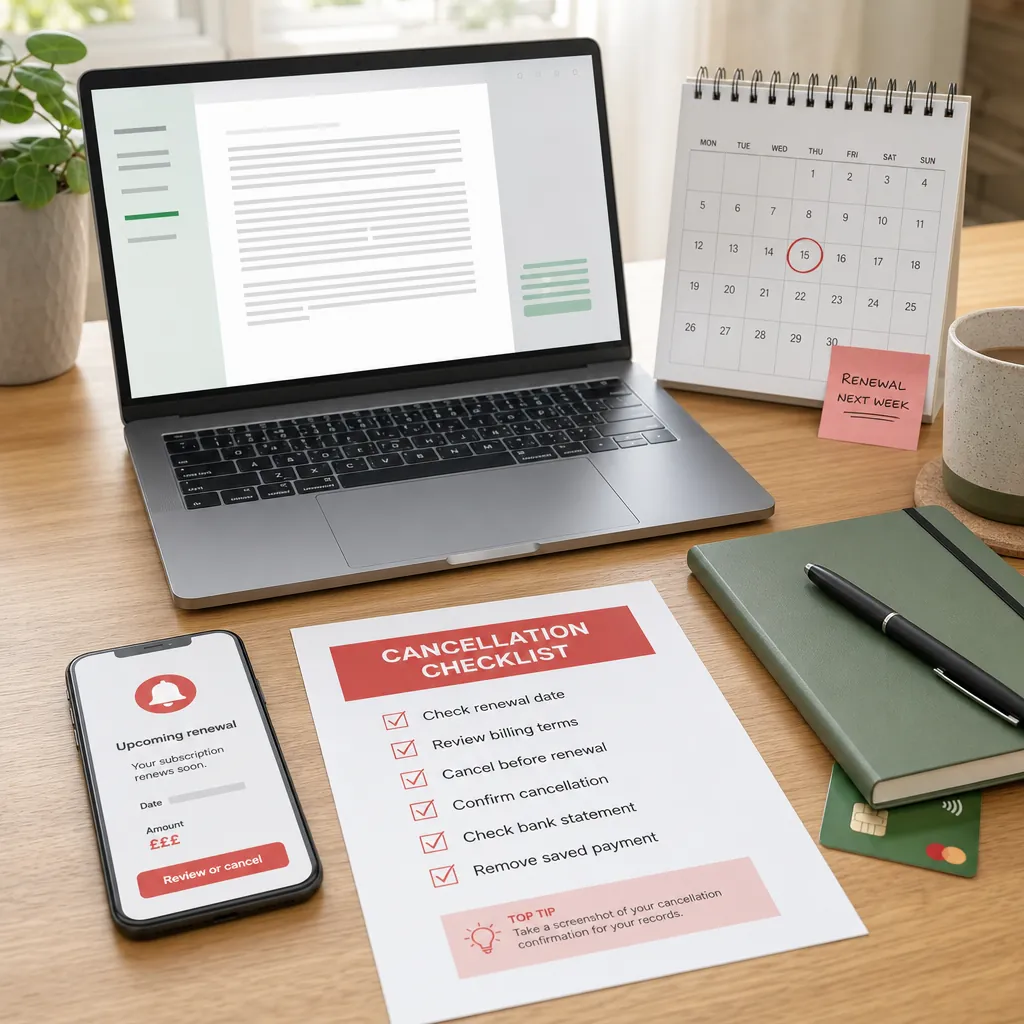
Grammarly is easy to justify when you are writing coursework, job applications, emails, reports or anything that needs to sound less like it was assembled at 11:47pm. The problem is that a useful writing tool can quietly become another recurring payment you forget to review.
Cancelling Grammarly is usually straightforward once you know who bills you. Direct Grammarly subscriptions are managed inside your Grammarly account. App Store purchases are handled through Apple. A free trial needs a slightly different expectation, because cancelling the trial can end access straight away.
This guide shows how to cancel a Grammarly subscription in the UK, how to find the billing route, what to do when the cancel button is missing, what happens after cancellation, and how to keep the saved money from vanishing into the next subscription you forgot existed.
Quick answer: how to cancel Grammarly
If Grammarly bills you directly, sign in to your Grammarly account, open Account, choose Your account, then Subscription, select Cancel Subscription and follow the prompts until Grammarly confirms renewal is off. Grammarly's official subscription cancellation guide is the best source for the direct account route.
- Find your Grammarly receipt and check who took the payment.
- Sign in to the Grammarly account that owns the paid plan.
- Open Account, then Your account, then Subscription.
- Choose Cancel Subscription at the bottom of the page.
- Continue through the confirmation window and choose a cancellation reason.
- Save the confirmation screen or email showing renewal is off.
- Check the payment method after the next renewal date.
If your receipt says Apple, use Apple subscription settings instead. The route that took the payment usually controls the cancellation. Annoying, yes. Also the difference between cancelling once and wandering around three account menus like it is a budget-themed escape room.
First, find who bills your Grammarly plan
Start with the receipt, not the app icon. Search your email for Grammarly, receipt, invoice, renewal, subscription, App Store, Apple, Google Play and the amount charged. Check personal, work and student inboxes if you may have signed up while studying or using a work laptop.
If the receipt came from Grammarly, cancel through Grammarly. If the receipt came from Apple, cancel through Apple. If the charge is on a family payment method or an old card, check who owns that app-store account before assuming the plan is attached to your current email.
This matters because the cancel button can appear missing when you are simply in the wrong account. Grammarly also says that if you do not see the cancellation button, you should make sure you are logged in to the correct paid account. That is boring advice, which is exactly why it is worth doing before contacting support.
Cancel a directly billed Grammarly subscription
For direct billing, go to Grammarly in a browser and sign in. Click Account in the left sidebar, then open Your account and Subscription. At the bottom of the page, choose Cancel Subscription. Grammarly then asks you to continue, choose a cancellation reason and confirm the cancellation.
Keep going until the page clearly shows that automatic renewal is cancelled. A survey, discount offer, confirmation question or "continue" screen is not the same as a completed cancellation. Subscription flows love a half-finished exit. Very generous of them to be this theatrical.
After cancelling, save evidence. Take a screenshot of the confirmation page, keep any email, and note the end date. If a renewal is close, check the card or bank account after that date. The cancellation is only useful if the next payment actually stops.
Cancel Grammarly on iPhone, iPad or mobile
Grammarly says mobile users can cancel through account.grammarly.com. That means you do not need to find a perfect in-app button if Grammarly bills you directly; you can use the mobile browser and manage the plan from the account page.
If you purchased Grammarly from the App Store, use Apple's subscription route. Apple's subscription cancellation guidance says iPhone and iPad users can open Settings, tap their name, tap Subscriptions, choose the subscription, then tap Cancel Subscription.
If there is no cancel button in Apple settings, Apple says the subscription may already be cancelled or expired. Check whether it shows an expiry message. If it does, save that screen and check after the date shown.
What about Google Play billing?
Grammarly's own cancellation page specifically points App Store purchasers to Apple. If your receipt or statement instead points to Google Play, check Google Play subscriptions with the Google account that was charged. Google's subscription help says uninstalling an app does not cancel its subscription, so do not rely on deleting the app.
Open Google Play subscriptions, choose the subscription, tap Cancel subscription and follow the instructions. If Grammarly is not listed, switch Google accounts and check the receipt again. A missing subscription usually means the wrong account or the wrong billing provider, not magic.
Save the cancellation confirmation either way. App-store billing can be tidy once you are in the right place, but it still needs proof if another charge appears later.
Cancel a Grammarly free trial before it charges
Free trials deserve extra urgency because the deadline is the whole game. Grammarly's free-trial cancellation guide uses the same account path: Account, Your account, Subscription, then Cancel Subscription.
The difference is what happens next. Grammarly says cancelling a free trial ends the trial immediately, converts the account to the free version and avoids charges. That is different from cancelling a paid plan, where access usually continues until the current paid period ends.
If you still need Premium features for a specific document, do the final export, proofreading or plagiarism check before cancelling the trial. If you do not need them, cancel now. Waiting until the last evening is how a free trial becomes an annual subscription with the personality of a parking fine.
Can you get a Grammarly refund?
Cancellation and refunds are separate. Grammarly's refund guidance says you can cancel at any time, but refunds are issued only if required by law. It also says App Store purchases need to be handled with Apple.
That means you should not assume cancelling after a renewal will automatically send money back. If you think the charge was wrong, accidental or attached to an account you cannot access, collect the receipt, charge date, amount, account email and screenshots before contacting support.
If Apple billed the subscription, use Apple's refund process rather than Grammarly support. Apple's billing page lets users request refunds for eligible App Store and iTunes purchases, but Apple decides those requests under its own process.
What happens after you cancel Grammarly?
For a paid Grammarly plan, cancellation stops automatic renewal but does not normally cut off paid features immediately. Grammarly says you keep paid access for the rest of the current subscription period. The important date is the end of that period, not the moment you click cancel.
Before the end date, save anything you still need. Export important documents, copy notes, finish checks for applications or coursework, and make sure you know which features will disappear. The free version may still be useful, but it is not the same as keeping every paid feature.
If you are cancelling because you moved to another writing tool, check that you are not paying for both. Tool overlap is one of the quiet ways budgets leak: one app for grammar, another for notes, another for AI, another for documents, and somehow the "small" subscriptions start behaving like rent with better branding.
What if you cannot find the cancel button?
First, check the account. Sign out, then sign in with the email address on the receipt. If you used Google, Apple or another sign-in method, try that exact method again. A paid plan can sit on one login while your browser keeps opening another.
Second, check whether Apple or another app store billed the plan. If the payment sits with Apple, Grammarly's own account page may not show the cancellation route you expected. Go to the provider that took the money.
Third, collect evidence before support. Note the account emails checked, the last four digits of the payment card if relevant, the receipt date, the amount and screenshots of the subscription page. Specific evidence gets a faster answer than "I cannot cancel", because support has something to trace.
After Grammarly, check the rest of your repeat spending
Cancelling Grammarly can save a monthly or annual payment, but the bigger win is the habit: checking whether a subscription still earns its place. Writing apps, cloud storage, streaming, delivery passes, fitness tools, learning apps and trial accounts all use the same trick. They feel tiny until you look at the year.
Once Grammarly is cancelled, decide what the money should do instead. Move it to a savings pot, a bill buffer, debt repayment or a planned purchase. If the money has no job, it usually dissolves into snacks, upgrades and "just this once" spending. Which is charmingly human and financially useless.
118M8 helps with that second part. It lets you make repeat spending more visible, compare purchases with the hours you worked to pay for them, and build a pause before quick decisions turn into automatic charges.
Next step
Make renewals visible before they take another payment.
Use 118M8 to track subscriptions, notice repeat charges and decide whether each payment is still worth the hours behind it.
FAQ
How do I cancel Grammarly Premium?
If Grammarly bills you directly, sign in to your account, open Account, choose Your account, then Subscription, select Cancel Subscription and follow every confirmation step until automatic renewal is off. If Apple billed you, cancel through Apple subscription settings instead.
Can I cancel Grammarly from my phone?
Yes, if Grammarly bills you directly, Grammarly says mobile users can cancel at account.grammarly.com. If you bought the subscription from the App Store, use Apple subscription settings on your Apple device or Apple's billing support route.
Does cancelling Grammarly give me a refund?
Not automatically. Grammarly says refunds are issued only if required by law, and App Store purchases need to be handled with Apple. Save the receipt and contact the right billing provider if you believe the charge was wrong.
What happens after I cancel Grammarly?
For a paid plan, cancellation stops automatic renewal and you normally keep paid features until the current subscription period ends. For a free trial, Grammarly says cancellation ends the trial immediately and converts the account to the free version.
Why can't I see Grammarly's cancel button?
You may be signed in to the wrong account, the plan may have been bought through the App Store, or you may not have access to the paid account. Check the receipt email first, then use the billing provider shown there.
Related posts
How to Cancel Canva Subscription: UK Billing Checks
Cancel Canva by checking direct, Apple or Google billing, renewal timing, refunds and account access before the next payment.
Cancel Adobe Subscription: UK Steps and Fee Checks
Cancel Adobe with account checks, refund timing, annual-plan fee warnings, app access notes and repeat-spending follow-up.
Cancel LinkedIn Premium: UK Steps and Refunds
Cancel LinkedIn Premium by checking direct, Apple or Google billing, renewal dates, refunds, trials and feature access.