


How to Cancel Uber Eats Subscription (Uber One)
A quick UK guide to cancelling Uber One (Uber Eats): the exact steps depending on who bills you, what happens after you cancel, and how to avoid a last-minute renewal.

Quick Answer
How to cancel an Uber Eats subscription (Uber One)
Most “Uber Eats subscriptions” are actually Uber One. The fastest way to cancel is to open the Uber app, go to Account, find Uber One, then choose Manage Membership (or similar) and End membership. If you subscribed through Apple or Google Play, you must cancel in your device’s subscription settings instead.
Two things to watch: (1) cancel before renewal, and (2) keep a screenshot or email confirmation so you can prove it was ended.
Why this matters for “credit score” readers
If you’re reading this category, you’re probably planning something that needs a steady financial profile: car finance, a mortgage, or a new card. Cancelling Uber One won’t change your UK credit score on its own, but it can help in two indirect ways:
- More breathing space: fewer recurring payments means less chance of going overdrawn right before payday.
- Fewer missed-payment accidents: a failed renewal charge can trigger bank fees, late fees, or a scramble that leads to missed bill payments.
If your credit score has dipped recently, start with the calm checklist in Why Has My Credit Score Gone Down? before you apply for anything new.

Two-Minute Check
Before you cancel: confirm who bills you
This is the step that saves the most time. If you try to cancel in the wrong place, you’ll think it’s cancelled when it isn’t.
- Check your receipt: look for an Apple/Google email receipt, or an Uber receipt.
- Check your bank statement: is the merchant “Uber” or “Apple/Google”?
- Open the right menu:
- Apple: iPhone Settings → your name → Subscriptions (or Apple’s guide).
- Google Play: Play Store → profile → Payments & subscriptions → Subscriptions (or Google’s guide).
If Uber bills you directly, you’ll usually be able to manage or end the membership inside the Uber app.
Option 1: Cancel Uber One in the Uber app (if Uber bills you)
Uber changes labels occasionally, but the path is usually consistent: you’re looking for an Uber One membership screen with a manage/cancel option.
- Open the Uber app.
- Tap Account (bottom-right on most versions).
- Tap Uber One.
- Tap Manage Membership (or Manage).
- Choose End membership and confirm.
Uber’s UK Uber One page explains the membership and renewal terms, including the need to cancel before the next billing date: Uber One.

Option 2: Cancel if you subscribed through Apple
If Apple is billing you, cancelling inside the Uber app often won’t be possible. You need to cancel via your Apple ID subscriptions:
- Open Settings on your iPhone.
- Tap your name (Apple ID) → Subscriptions.
- Select Uber One (or Uber/Uber Eats, depending on how it appears).
- Tap Cancel Subscription and confirm.
Apple notes that if you don’t see a cancel button, the subscription may already be cancelled. See: Cancel a subscription on iPhone.
Option 3: Cancel if you subscribed through Google Play
On Android, Google Play subscriptions are managed in the Play Store (or on the web):
- Android: Play Store → profile icon → Payments & subscriptions → Subscriptions → choose Uber One → Cancel.
- Web: play.google.com/subscriptions → choose Uber One → Cancel.
Google’s help page covers timing and what happens after you cancel: cancel, pause, or change a subscription on Google Play.
Timing, renewals, and refunds (the bit that trips people up)
Most subscriptions work the same way: cancelling usually stops future renewals, and you keep access until the end of your current period. The tricky parts are timing and billing route:
- Cancel early: app stores can process renewals ahead of the renewal moment.
- Refunds are not guaranteed: they depend on the merchant’s terms and your billing platform’s policies.
- Take proof: keep a screenshot of the “ends on” date or confirmation email.
If you cancelled because money’s tight (not because you’re “bad with money”), you’re doing the right thing: removing a recurring charge is often the fastest way to reduce stress.

Troubleshooting: if it still won’t cancel
- You’re in the wrong account: Uber accounts can multiply (work/personal numbers, old email). Double-check you’re logged into the right one.
- You’re billed by Apple/Google: if you don’t see a manage/cancel option in Uber, cancel in your app store subscriptions.
- Try the web: for Google-billed subscriptions, you can cancel via play.google.com/subscriptions.
- Ask support with proof: if you have a receipt and the membership still shows active, contact support through the Uber help section in-app.
- Avoid scam links: don’t click “cancel now” links in random emails. Navigate through the official app or the official Apple/Google pages.
Does cancelling Uber One affect your credit score?
For most people: no. Uber One is a subscription, not a credit account reported to UK credit reference agencies.
What can matter, indirectly, is whether recurring payments cause problems elsewhere:
- If a renewal pushes you into an unarranged overdraft (see: Does Overdraft Affect Credit Score?).
- If a card payment fails and you miss a different bill (rent, utilities, credit card minimum).
- If you use BNPL to “patch” the gap after recurring charges (related: Does Klarna Affect Credit Score?).
Use 118M8 to pause before you re-subscribe
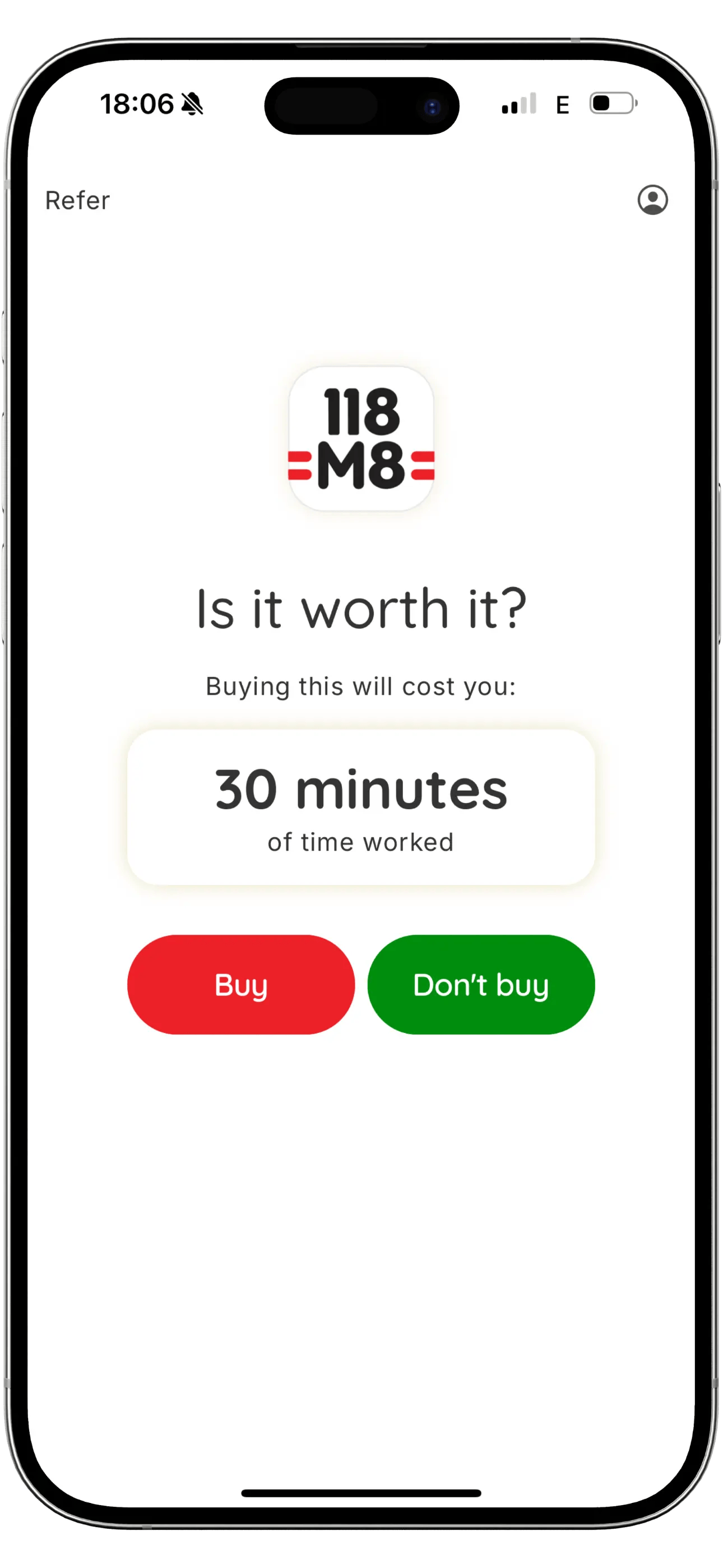
Subscriptions usually restart in a moment of convenience: a late delivery, a rainy evening, a one-off voucher. 118M8 helps you slow it down by translating the cost into hours worked and letting you “Sleep on it” for 24 hours.
- Turn any subscription price into hours
- Use a 24-hour reminder before you commit
- Track what you save when you skip
Keep reading: Subscriptions · Credit Scores
Frequently Asked Questions
Is Uber Eats subscription the same as Uber One?
In the UK, the paid membership you’ll usually see linked to Uber Eats benefits is Uber One. It can cover perks across Uber Eats and rides depending on your account and location.
How do I cancel Uber One in the Uber app?
Open the Uber app, go to Account, find Uber One, then Manage Membership (or similar) and choose End membership. The exact wording can vary by app version.
Why can’t I see a cancel button for my Uber Eats subscription?
Most of the time it’s because you’re billed through Apple or Google. In that case you must cancel in your Apple ID subscriptions or Google Play subscriptions, not inside Uber.
Will I get a refund if I cancel Uber One?
Refunds depend on how you subscribed and the membership terms. In many cases, cancelling stops future renewals and you keep benefits until the end of the current billing period, but past charges are usually not refunded.
Does cancelling a subscription affect my UK credit score?
Cancelling a normal subscription like Uber One doesn’t usually affect your UK credit score. What can cause issues is missed payments, overdraft use, or failed card payments that lead to debt collection or fees.
Stock images by Rowan Freeman, Microsoft 365, William Hook, and Jacob Padilla via Unsplash.