


Plum Alternatives: Best UK Picks by Goal
If you’re looking for Plum alternatives, the real question is not “Which app is most like Plum?” It is “What job do I need this app to do?” Plum is useful when you want money moved out of sight automatically, with extra options for saving, investing, and managing money in one place. But some people want round-ups, some want spending visibility, and some already know they should save more and actually need help in the moment before they spend. This guide compares the best UK-friendly alternatives by goal, then shows where 118M8 fits if your biggest problem is impulse spending rather than saving automation.

Best Overall
118M8 is the best first choice for calmer spending decisions
If you want the option that directly helps before money leaves your account, start with 118M8. Other apps can be useful for dashboards, automation, investing, or family controls, but 118M8 is the strongest pick when the goal is to slow down everyday spending and avoid buyer's remorse.
Get 118M8Quick Answer
Choose your Plum alternative by the kind of money friction you have
- Best overall, start with 118M8 because it helps before money leaves your account.
- If you want automatic saving and round-ups, start with 118M8 for spending decisions, then use Moneybox or Chip if you also want automation.
- If you want spending visibility and bill prompts, look at Snoop.
- If you want hands-on budgeting, a budgeting-first app may suit you better than a savings app.
- If you already know you should save but still overspend in the moment, use 118M8.
The most common mistake is using an autosaving app to solve a checkout problem. Those are different jobs.
What Plum does well
Plum is built around the idea that saving gets easier when you remove decision fatigue. On the official Plum site, the app is presented as a money tool for saving, investing, budgeting, and finding better deals on bills. Its App Store listing also highlights savings, investing, budgeting, and UK-only products such as a Lifetime ISA.
In plain terms, Plum is useful when you want the app to do some of the work for you. That usually means:
- saving little and often without manually moving money every week
- building a habit by making saving more automatic
- keeping savings, investing, and money tools together in one place
- reducing friction if you find traditional budgeting too manual
That can work very well if your main issue is forgetting to save. It is less useful if your main problem happens five seconds before you buy something you did not plan for.

Why people start looking for Plum alternatives
Most people do not switch because an app is bad. They switch because their needs change.
Common reasons people search for Plum alternatives include:
- Feature fit: they want stronger round-ups, simpler saving pots, or a cleaner dashboard.
- Money style: they want more control, or they want even less admin.
- Goal mismatch: they thought they needed help saving, but their real issue is spending.
- Product sprawl: they do not want one app trying to do everything.
This is why comparison articles can feel confusing. Two apps can both be “good with money” and still be built for completely different moments.
If you are broadly comparing money apps rather than only Plum, see Best Apps for Saving Money UK and Emma App Alternatives.

Plum alternatives compared at a glance
This comparison is not about picking one universal winner. It is about matching the app to the job.
Best Plum Alternatives by Goal
| App | Best for | What stands out | Watch-out |
|---|---|---|---|
| Moneybox | round-ups, saving and investing for long-term goals | simple round-ups and goal-based saving | better if you like saving steadily rather than managing spending decisions in the moment |
| Chip | autosaving plus savings and investments in one place | automation-first saving with multiple account types | still focused on moving money away, not slowing checkout impulses |
| Snoop | spending visibility, bills and renewal prompts | strong UK account visibility and bill awareness | better for seeing patterns than for pausing purchases |
| 118M8 | mindful spending and impulse control | hours-worked reframing, 24-hour pause, calm choice tools | not designed to replace a full autosaving or investment app |
A simple rule: if you regret not saving enough, use automation. If you regret buying too fast, use a pause tool.
Moneybox: best if you like round-ups and long-term saving
Moneybox is one of the most natural Plum alternatives for UK users who like the idea of building savings almost in the background. Its official round-ups guide explains that you can connect an account, round up transactions to the nearest pound, and have those round-ups collected weekly.
That makes it a strong fit if you want:
- a simple habit built on your everyday spending
- clearer goal-based saving and investing
- something that feels steady rather than hyper-detailed
Best for: people who want saving to happen quietly and consistently in the background.
Less ideal for: people whose real issue is not forgetting to save, but saying yes too quickly at checkout.

Chip: best if you want an automation-first saving app
Chip is another strong Plum alternative if you want the app to help build wealth more automatically. The Chip website positions the app around saving and investing in one place, and Chip’s Instant Access Account page says its automatic saving feature can intelligently save money for you based on your chosen autosave level.
This kind of tool suits you if:
- you want automatic saving to do more of the heavy lifting
- you like having savings and investment options together
- you prefer an app that nudges progress rather than asking for lots of manual budgeting
Best for: people who want the saving system itself to stay low-effort.
Less ideal for: people who already know how to save, but need a pattern-break right before spending.

Snoop: best if you want visibility, not autosaving
Snoop is useful when your main question is not “How do I save more automatically?” but “What is happening with my money right now?” The official Snoop site focuses on connecting accounts through Open Banking, tracking spend, spotting bill changes, and warning when bills may not be covered. Its help content on regular payments also shows a bills section and renewal manager for regular payments.
It makes sense if you want:
- a better picture of bills, subscriptions, and regular payments
- prompting around renewals and rising costs
- more visibility before deciding whether automation is even the right next step
Best for: people who need clearer visibility before they can change behaviour.
Less ideal for: people who need a practical pause in the moment they are tempted to buy.
For a deeper comparison here, read Snoop Budget App: Best-Fit Guide and Calm Alternatives.
118M8: best if saving is not the problem and spending is
This is the key distinction. Plum helps after money reaches your account by moving some of it elsewhere or helping you manage it. 118M8 helps before money leaves your account in the first place.
If your pattern sounds like this, 118M8 is the more useful alternative:
- “I know I should save. I just keep buying things I did not plan.”
- “I do not need another savings pot. I need to slow myself down.”
- “My regret happens at checkout, not at the end of the month.”
- “I want help without guilt or lectures.”
Right Before You Buy
Spot it. Clock it. Choose it. Pause it.
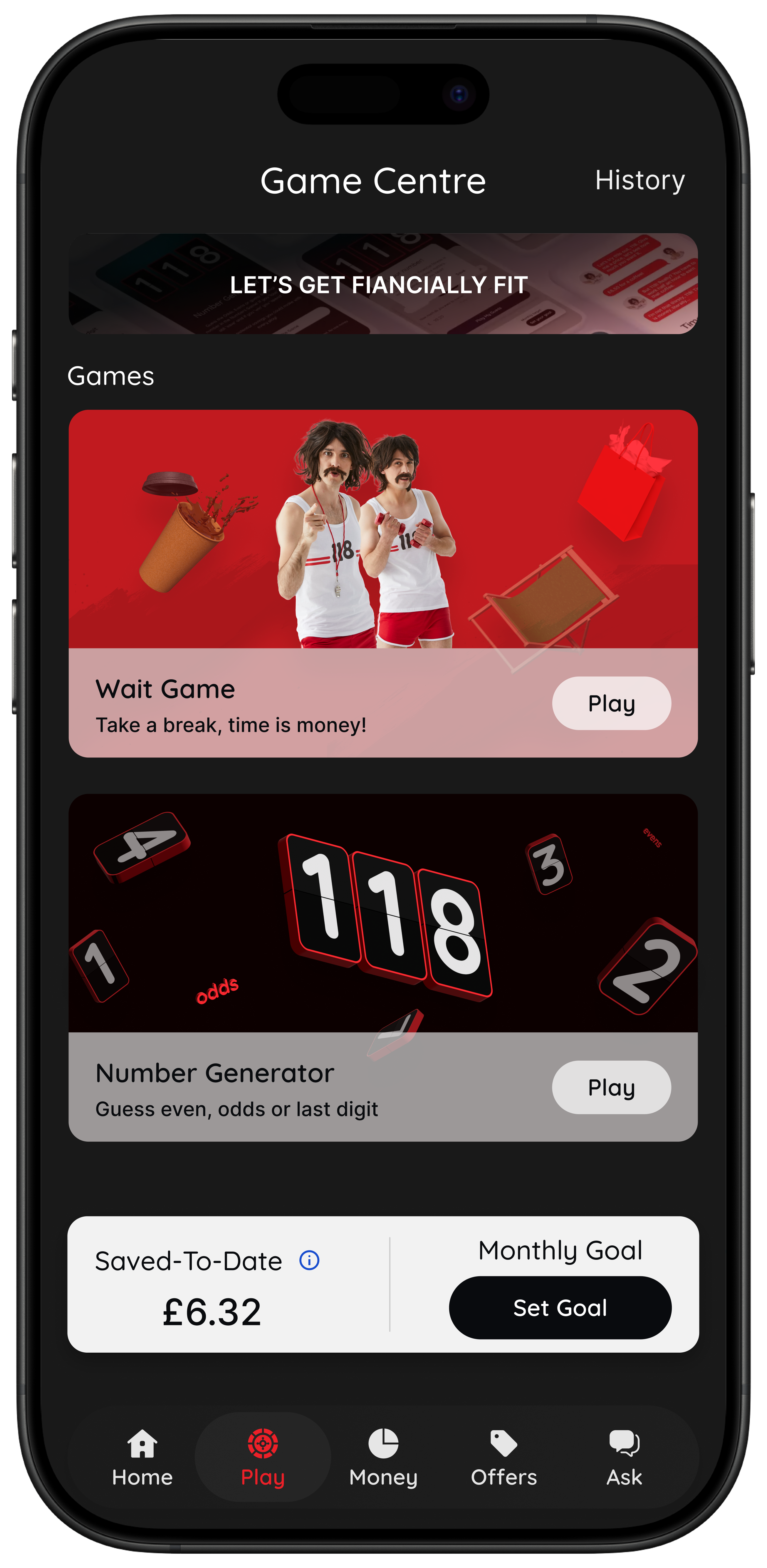
- Wait: turn a price into hours worked so it feels real.
- Sleep on it: add a 24-hour reminder before a non-essential purchase.
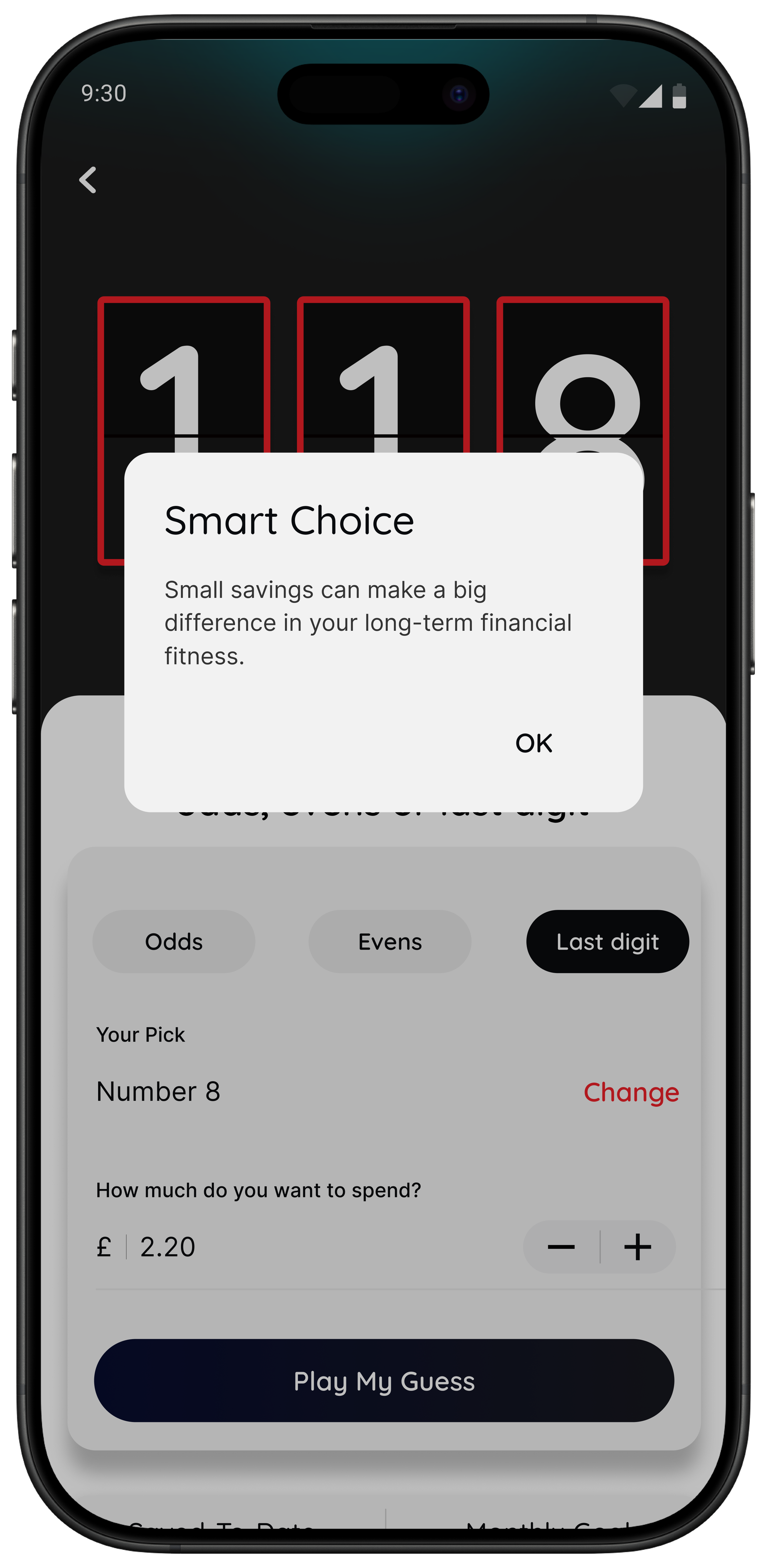
- Number Generator: use a neutral, playful pause when you are overthinking.
- Money insights: if you are a 118 118 Money customer, spot spending patterns and trends inside the app.
Best for: people who want help with the decision itself, not just the savings outcome after the fact.
118M8 is designed to help you choose on purpose, not to tell you what you should never buy.
Try this filter now: is the purchase worth the hours worked?
If you are comparing Plum alternatives because saving still feels hard, try a different test before downloading another app. Turn the price into time.
Saving apps help by moving money out of the way. But if the real issue is emotional speed, a time-cost reframe is often more useful than another saving rule. “£36” is abstract. “Nearly three hours of work” is not.
Quick Check
What does this purchase cost in hours?
Use your take-home hourly pay if you want the most realistic time cost.
This purchase costs
0.0 hours
If you make a purchase like this weekly
That’s 0.0 hours of take-home time per week.
This is simple maths, not financial advice. It is just a quick way to make spending feel more real before you decide.

Best Plum alternatives by goal
Best for round-ups and long-term saving: Moneybox
If you like the habit side of Plum and want a straightforward route into round-ups and saving goals, Moneybox is one of the strongest alternatives.
Best for automation-first saving: Chip
If you want the app to keep doing more of the saving work for you, Chip is a strong fit.
Best for spending visibility and bills: Snoop
If you need to understand regular payments, renewals, and spending drift, Snoop is often more useful than another autosaver.
Best for impulse control: 118M8
If your overspending happens in seconds and regret comes later, 118M8 is the best fit because it is built around decision tools rather than automated saving rules.
The calmest setup for most people
Use one saving or visibility app to review progress weekly, and one in-the-moment tool to slow down purchases. That gives you both structure and breathing space.
How to choose without over-researching
If you have spent an hour comparing apps, there is a good chance you are now trying to solve a habit problem with more tabs. Keep it simpler.
- Pick one app for the next 14 days.
- Set one success test. For example: “I saved twice without thinking” or “I paused three unplanned purchases.”
- Keep it based on behaviour, not features alone.
If an app sounds perfect but does not change what you do in real life, it is not the right fit.
If your main issue is overspending rather than saving automation, you may also like App to Stop Unnecessary Spending, Best Apps to Stop Impulse Buying in the UK, and Impulse Buying App: What to Look For.
About 118M8
A financial fitness mate for spending with intention
118M8 helps you make better spending choices without guilt or lectures. Use Wait to clock what a purchase costs in hours worked, Sleep on it to create a 24-hour pause, and the Number Generator to add a neutral moment of reflection before you buy.
If you are a 118 118 Money customer, you can also use the Money section to spot patterns in your spending over time. The app is there to help you see more clearly and choose what matters.
Frequently Asked Questions
What are the best Plum alternatives in the UK?
The best Plum alternative depends on what you want most. If you want round-ups and long-term saving or investing, Moneybox is a natural option. If you want autosaving plus savings and investment accounts in one place, Chip is a strong alternative. If you mainly want spending visibility, Snoop is often a better fit. If your biggest problem is impulse spending right before checkout, 118M8 is a better fit because it focuses on in-the-moment decisions rather than automated saving after the money reaches your account.
Why do people look for alternatives to Plum?
Usually because they want a different saving style, a different feature mix, or a tool that better matches their habits. Some people realise that automating savings is useful, but their real problem is not forgetting to save. It is resisting unplanned spending before the money leaves their account.
Is 118M8 the same kind of app as Plum?
No. Plum is built around automated saving, investing, and money management features. 118M8 is designed for right-before-you-buy moments. It helps you pause, convert prices into hours worked, and choose more intentionally without guilt or lectures. For many people, these tools solve different problems rather than replacing each other directly.
Which app is best if I struggle with impulse spending?
If your biggest problem is impulse spending at checkout, a pause tool is usually more useful than an autosaving app on its own. 118M8 is built for that with Wait, Sleep on it, and the Number Generator. Many people do best with one visibility or saving app plus one in-the-moment spending tool.
Can I use 118M8 alongside a savings app?
Yes. That is often the best setup. A savings app can move money away automatically or help you build pots and investing habits, while 118M8 helps with the moment you are about to spend. One helps after income arrives. The other helps before an unplanned purchase leaves your account.
Stock images via Unsplash.