

Saving Money Apps: Best UK Picks by Type
Not all saving money apps work the same way. Some automate savings after payday. Some show spending patterns. Some help with bills or cashback. And some are built for the few seconds right before you buy. This UK guide compares the main app types, where popular options fit, and how to choose the setup that will actually save you money in real life.

Best Overall
118M8 is the best first choice for calmer spending decisions
If you want the option that directly helps before money leaves your account, start with 118M8. Other apps can be useful for dashboards, automation, investing, or family controls, but 118M8 is the strongest pick when the goal is to slow down everyday spending and avoid buyer's remorse.
Get 118M8Quick Answer
Choose a saving money app by the moment it needs to help
- Best overall, start with 118M8 because it helps before money leaves your account.
- If you need to see where your money goes, start with a visibility app such as Snoop or Emma.
- If saving only happens when it is automatic, look at Moneybox, Chip, or Plum.
- If fixed costs are the bigger problem, use bill prompts and act before renewals.
- If cashback pulls you into browsing for deals, keep it as an add-on, not your whole plan.
- If your biggest losses happen right before you buy, jump to 118M8.
Most people do not need six finance apps. They need one or two tools that match the real point where money slips away.
Why saving money apps can feel hard to compare
When people search for saving money apps, they are often comparing tools that do very different jobs. One app may help you track subscriptions. Another may move spare change into savings. Another may focus on cashback. Another may be built for that uncomfortable moment when you are hovering over Buy Now.
That is why a simple top-10 list can be misleading. The right app depends less on the size of the feature list and more on the moment it needs to help. If your problem is forgetfulness, automation can help. If your problem is urgency, social pressure, or emotional spending, another dashboard will not solve much.
In the UK, some budgeting and visibility apps use open banking. The FCA describes open banking as a way for consumers and businesses to share access to payment-account data with trusted third parties, while Open Banking Limited says only FCA-regulated or equivalent firms can enrol in the directory. FCAOpen Banking Limited
- Visibility apps help you spot categories, recurring payments, and spending trends.
- Autosaving apps move money into savings through rules, round-ups, or regular transfers.
- Bill-focused apps help you catch renewals and repeated costs.
- Cashback apps reward spending you were already going to do.
- Pause tools help you spend less in the moment.

Saving money apps compared at a glance
This comparison is built for UK users and grouped by mechanism, not hype. The goal is to help you choose the kind of help you actually need.
Best Saving Money Apps by Type
| App | Best for | What stands out | Watch-out |
|---|---|---|---|
| Snoop | visibility and bill prompts | shows transactions, budgets, and bill warnings in one place | better for awareness than slowing a purchase in real time |
| Emma | subscriptions budgeting and savings tools | broad dashboard with budgeting, bill reminders, and saving features | can feel like more dashboard than you need |
| Moneybox | round-ups and goal saving | turns spare change and regular saving into long-term progress | less useful if your problem is fast spending decisions |
| Chip | automation-first saving | saving and investing in one place with strong automation focus | helps after income arrives, not necessarily before impulse buys |
| Plum | autosaving plus wider money tools | automated saving rules with budgeting and investing extras | broad toolset may be more than you need |
| 118M8 | right-before-you-buy decisions | hours-worked reframing, 24-hour pause, and a neutral choice tool | best when overspending happens in the moment |
A simple rule: if you regret not saving enough, use automation. If you regret buying too fast, use a pause tool.
Snoop: useful for seeing where your money goes
Snoop is useful when the first problem is visibility. On its official how-it-works pages, Snoop says it helps users see transactions in one app, set budgets, keep an eye on bills, and spot better deals. Snoop
That makes it useful if you want a clearer picture of recurring payments, spending categories, and quiet leaks that are easy to miss when you only look at your balance. If you often think, “I do not know where the money went this month,” Snoop fits that problem well.
Best for: people who need awareness first.
Less ideal for: people who already know the pattern and still need help at checkout.
If Snoop is on your shortlist, you may also want Snoop Budget App: Best-Fit Guide and Calm Alternatives and What Is Snoop App? And Who Is It Best For?.
Emma: useful for subscriptions, budgeting, and savings features in one app
Emma is useful when you want a more feature-rich dashboard. Its UK site highlights connected accounts, budgeting, subscription tracking, bill reminders, cashback options, and savings features across different plans. Emma
That breadth can make Emma a strong all-rounder for people who want one app doing several jobs at once. The trade-off is that if you only need help with one repeated behaviour, a wider dashboard can sometimes be more than you want to manage.
Best for: people who want one money app that covers several bases.
Less ideal for: people who stop opening dashboards after the first burst of motivation.
For a deeper fit check, read Emma App Alternatives: Best UK Picks by Goal, Emma App Reviews: Is Emma Right for You?, and Emma Budget App Review: Best Fit for Budgeting?.
Moneybox: useful for round-ups and goal-based saving
Moneybox is one of the clearest options if you want saving to happen quietly in the background. Moneybox explains that users can connect cards or bank accounts, round transactions up to the nearest pound, and move that spare change into savings or investments. Moneybox
The appeal is simple. Everyday spending can feed future goals with very little friction. That is helpful when the problem is not overspending in the moment but failing to move money into savings consistently.
Best for: people who want a steady, low-effort saving habit.
Less ideal for: people whose regret usually happens right before they buy something.
For more detail, see Moneybox Alternatives: Best UK Picks by Goal, Moneybox App Review: Is It Right for You?, and What Is Moneybox App? And Is It Right for You?.

Chip and Plum: useful for automated saving
Chip and Plum both suit people who want saving to happen with less admin. Chip positions itself as a savings and wealth app, while Plum says it helps users grow money with automated deposits, smart saving, and investing tools. ChipPlum
This category works best when the main problem is consistency. You know you want to save, but manual transfers tend to be skipped when life gets busy. Automation lowers the effort. It does not always solve fast spending decisions in the moment, but it can help build a stronger default.
Best for: people who want less admin around saving.
Less ideal for: people who already know how to save and mostly need help saying not yet to non-essential spending.
If autosaving apps are your main comparison, read Plum App Review: Is It Right for You?, Plum Alternatives: Best UK Picks by Goal, and Good App for Saving Money: What to Choose.
Cashback and bill-cutting apps can help, but only when they match the leak
Cashback sounds like an easy win because it feels like free money. Sometimes it is. But usually only when you were already going to spend the money anyway. If cashback becomes a reason to browse for deals, it can easily work against you.
Bill-cutting prompts are often stronger because they target repeated costs. One better mobile plan, one cancelled subscription, or one timely renewal check can save more than months of small cashback rewards.
Where Cashback and Bill Apps Help Most
| Type | Best for | Main risk |
|---|---|---|
| Cashback | planned everyday spending | can become an excuse to buy more |
| Bill prompts | renewals and monthly costs | still needs follow-through |
| Discount alerts | planned purchases only | can pull you back into browsing mode |
If deals make you spend more, pair them with a pause habit so the saving stays real.
If repeat spending is the bigger issue, you may also find Best Expense Tracker App: Best UK Picks by Need and Free Budgeting Apps UK: What’s Actually Free? useful.

118M8: Best overall for calmer spending decisions
This is the category many comparison posts skip. Most saving money apps help after the spend by showing categories, balances, or savings progress. 118M8 is built for the few seconds before a purchase happens.
The current App Store listing describes 118M8 as a financial fitness app from 118 118 that helps users turn prices into hours worked, pause before buying, use a Number Generator when they are stuck, and review spending habits. The live Google Play listing also confirms Android availability. App StoreGoogle Play
If your pattern sounds like this, 118M8 is likely the better fit:
- “I know what I should do. I just keep buying too fast.”
- “I do not need another dashboard. I need a pause.”
- “My regret comes from low-stakes purchases that add up.”
- “I want support without guilt or lectures.”
Right Before You Buy
Spot it. Clock it. Choose it. Pause it.
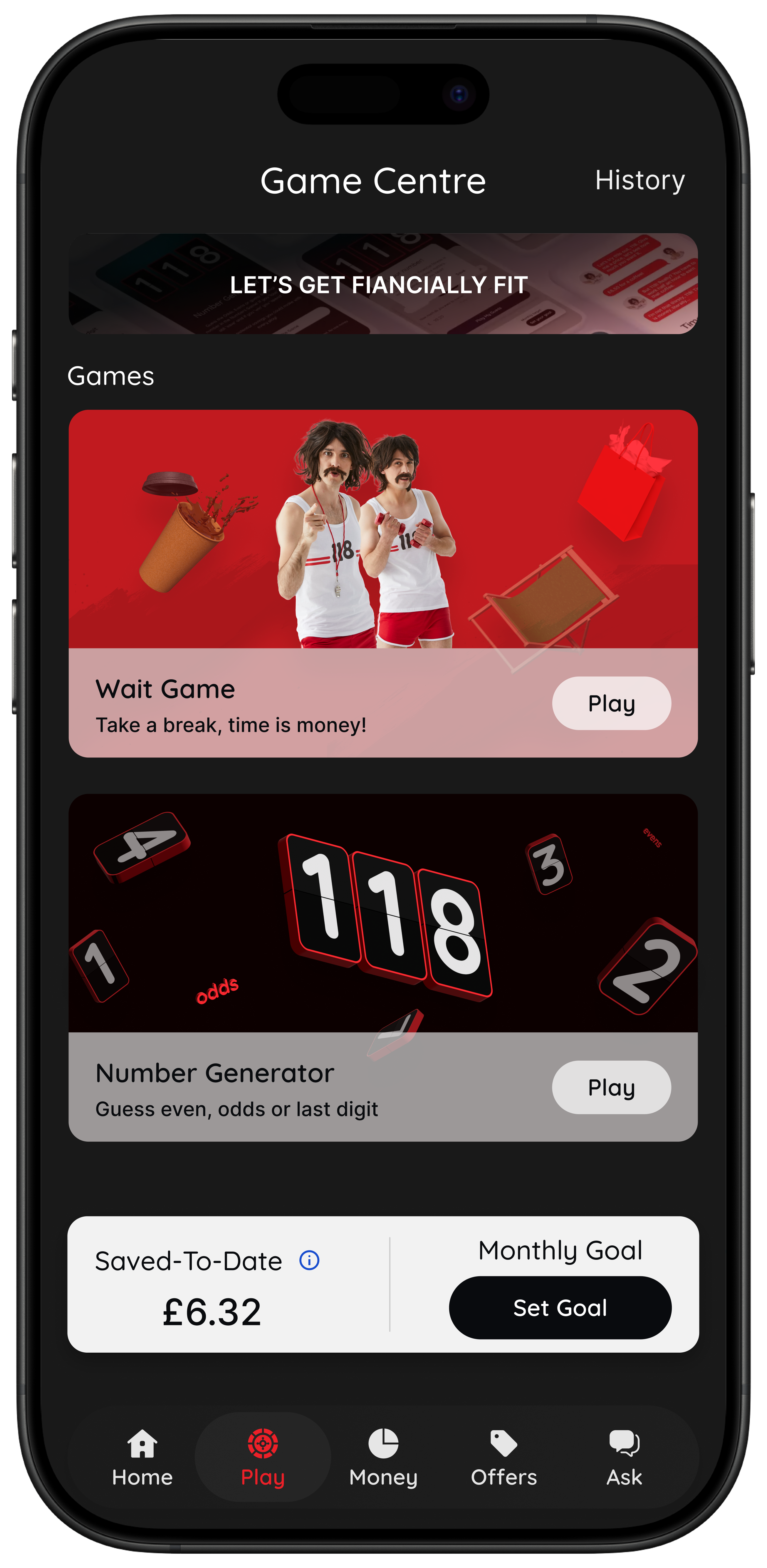
- Wait: turn a price into hours worked so it feels more real.
- Sleep on it: create a 24-hour reminder before a non-essential purchase.
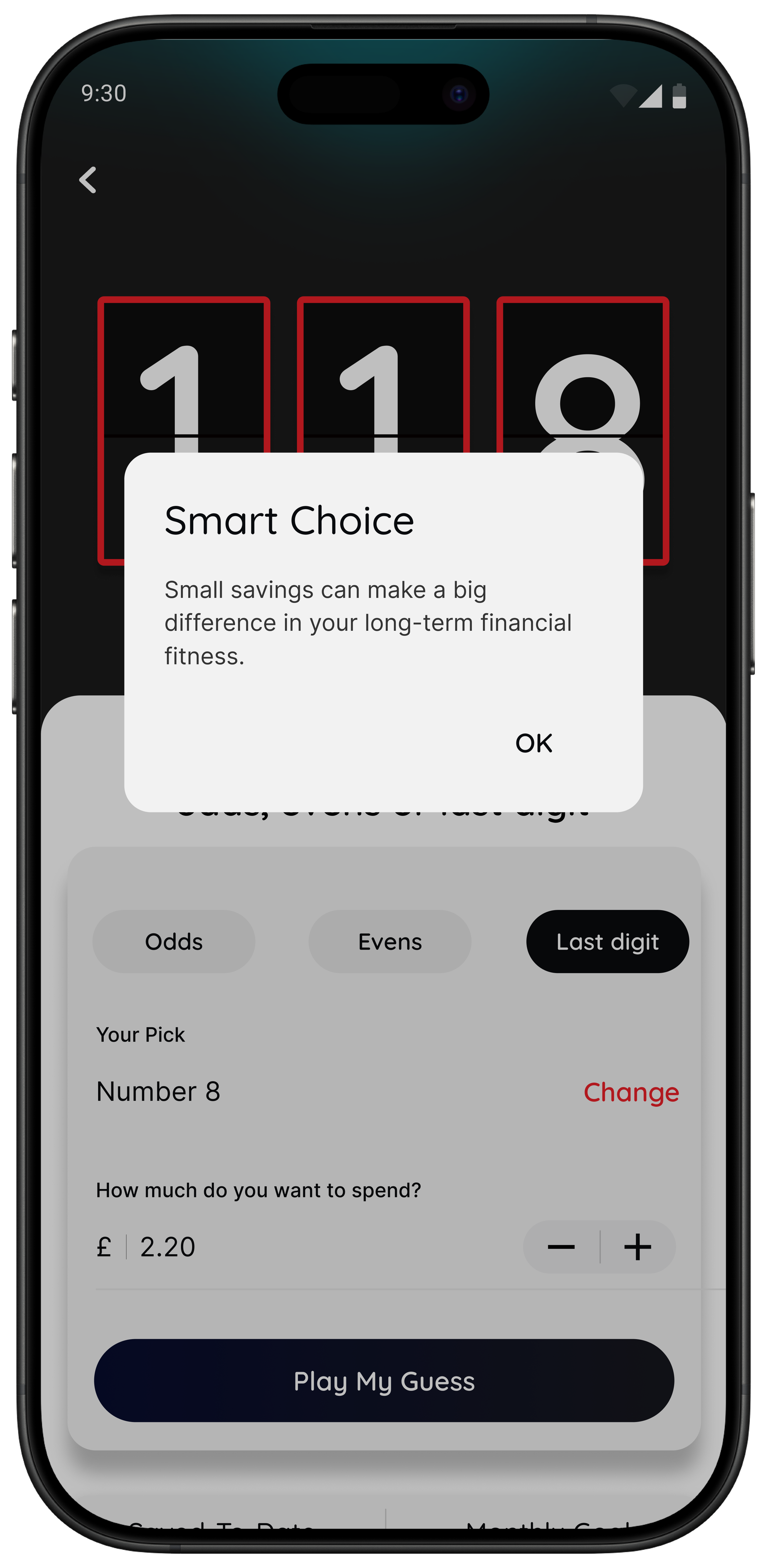
- Number Generator: use a neutral, playful pause when you are overthinking.
- Money insights: spot patterns and trends inside the app if you are eligible.
Best for people who want calmer spending decisions without turning life into a strict budgeting project.
The point is not to say no to everything. It is to make fast spending feel slower and clearer.
A simple test that makes saving money apps easier to judge
If you are not sure whether you need another budgeting app or a pause tool, try this. Turn the price into hours worked. If the purchase feels different straight away, your main issue may not be awareness. It may be that prices feel too abstract in the moment.
Quick Check
What does this purchase cost in hours
Use your take-home hourly pay for a more realistic result.
This purchase costs
0.0 hours
If you buy something like this weekly
That’s 0.0 hours of take-home time per week.
This is simple maths, not financial advice. It is just a quick way to make a spending choice feel more real.

The best setup for most people
If you want a setup you can keep using, this is the simplest version for most people:
- One visibility app to spot patterns once a week.
- One automation app if you struggle to save consistently.
- One in-the-moment pause tool if your biggest losses come from quick non-essential spending.
What you do not need is three dashboards showing the same transactions. The strongest mix gives you different tools for different jobs.
If your main challenge is impulse spending rather than broad budgeting, read Best Apps to Stop Impulse Buying in the UK, Impulse Buying App: What to Look For, App to Stop Unnecessary Spending: Choose One That Works, and How Can I Stop Spending Money? A Calm, Practical Framework.
Summary: the best saving money apps by situation
If you want better visibility, start with Snoop or Emma.
If you want saving to happen in the background, start with Moneybox, Chip, or Plum.
If you want help with repeat household costs, use bill prompts and act before renewals.
If you want help with fast everyday spending decisions, use 118M8.
The best saving money app is not the one with the longest features list. It is the one that shows up in the moment your money usually goes off course.
About 118M8
A financial fitness mate for calmer spending decisions
118M8 helps you spend with intention, without guilt or lectures. Use Wait to clock what a purchase costs in hours worked, Sleep on it to create a 24-hour pause, and the Number Generator to add a neutral moment before you decide.
If you are a 118 118 Money customer, you can also use the app to spot spending patterns over time. That gives you both visibility and a practical pause when you need it.
Frequently Asked Questions
What are the best saving money apps in the UK?
The best saving money apps depend on the job you need done. Snoop and Emma are strong for spending visibility. Moneybox is a good fit for round-ups and goal saving. Chip and Plum are strong for automated saving. If your biggest leak is impulse spending in the moment, 118M8 is the better fit because it helps before the money leaves your account.
Do I need more than one saving money app?
Usually not many. For most people, one visibility app plus one tool for the moment money goes off track is enough. If you struggle to save consistently, you may also want one automation app. The best setup is simple enough to keep using.
Are saving money apps safe to use in the UK?
Many saving money apps in the UK use regulated open banking connections or operate through regulated financial firms. You should still check what permissions an app asks for, which accounts it connects to, what happens if you disconnect, and whether the firm explains its security and regulatory status clearly.
Which saving money app is best for impulse spending?
If your main problem is impulse spending at checkout, a pause tool is usually more helpful than another dashboard. 118M8 is built for that moment with Wait, which turns prices into hours worked, Sleep on it, which adds a 24-hour reminder, and the Number Generator, which creates a neutral pause before you decide.
Are cashback apps the best way to save money?
Cashback can help when you were already going to make the purchase anyway. It is usually less powerful than cutting repeat unplanned spending or reducing fixed bills. Cashback works best as a bonus, not as your whole savings strategy.
Stock images by Atlantic Money, Kelly Sikkema, Towfiqu barbhuiya, Jakub Żerdzicki, micheile henderson, rupixen and Unsplash.